
Screens for gyms and fitness clubs
Show today’s classes, membership offers and challenges on every screen in every branch, and change them from your phone. Ramadan hours and class times switch on their own.
Example screen. Tap a moment to see it change.
What gyms show on DSTology
Screens your members actually look at, between sets and at the front desk.
Today’s classes
The class schedule by time and studio, updated the moment a class changes.
Membership offers
New-member offers, renewals and referral deals that start and stop on the dates you set.
Challenges
Monthly challenges and member milestones, with your members’ permission.
Tips from your coaches
Short training and nutrition tips, such as how to train while fasting in Ramadan.
Ramadan hours
Ramadan opening hours and late-night sessions switch on by themselves.
Videos that motivate
Workout videos and your own clips between announcements, from your media library or YouTube.
Where gym screens work best
Put each screen where members already look.
At the entrance
Today’s classes and any changes, so members know where to go.
On the gym floor
Short tips and challenges, readable from a distance and with no sound needed.
At the front desk
Membership offers, renewals and how to book personal training.
Separate areas and branches
Each area or branch can show its own schedule and hours, all from the same dashboard.
Want members to book classes in an app? Apptology also builds booking apps. See what an app costs.
From your phone to every screen
Four steps, and our team in Riyadh helps you with each one.
Connect the TVs you have
Samsung and LG smart TVs, Android TV or any screen with a browser. Each screen pairs in under a minute.
Say what you want
Type it in plain Arabic or English, the way you would tell a colleague.
AI designs it for you
Get two complete designs in seconds, or start from a ready template.
Live on every screen
Every branch updates together, and screens keep playing even when the internet drops.
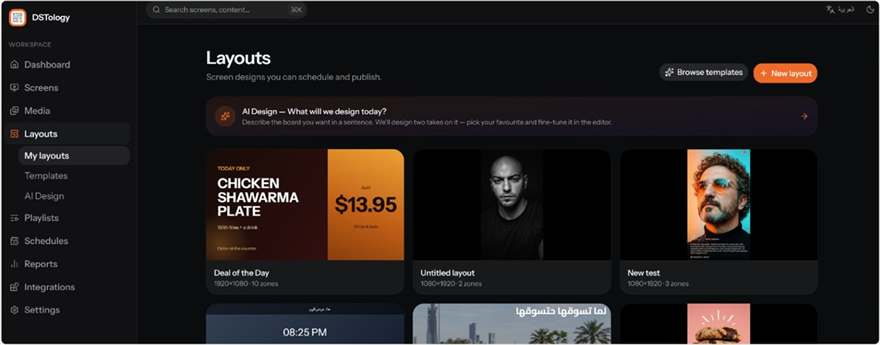
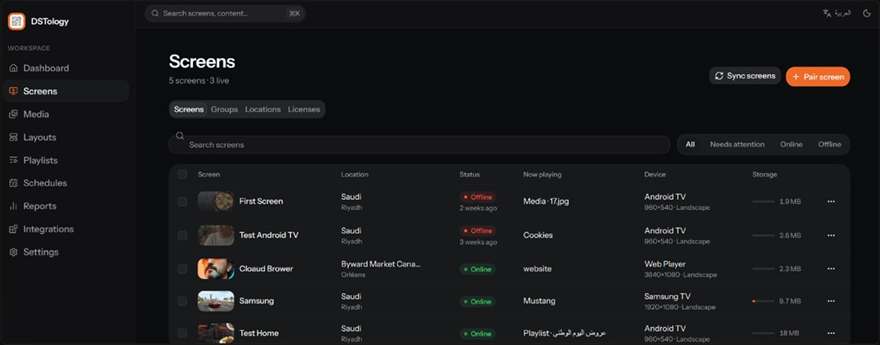
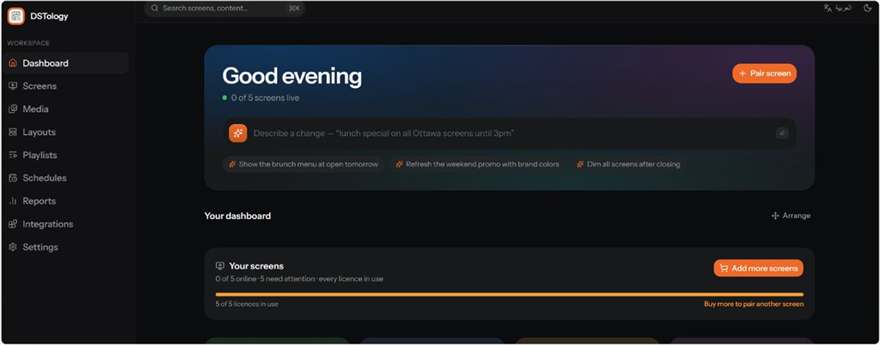
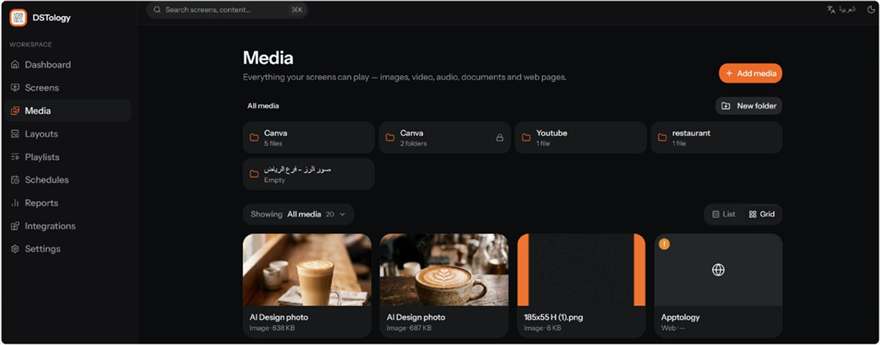
Inside DSTology
This is what your team uses every day. Real screens from the app.
Questions
Can each branch show its own class schedule?
Yes. Choose what each branch or screen shows, or update them all at once from one dashboard.
Can our team update the screens without a designer?
Yes. Type what you want in Arabic or English and the AI creates two complete designs in seconds, or start from a ready template.
Can we switch to Ramadan hours automatically?
Yes. Set your Ramadan hours and sessions once with their dates, and every screen switches by itself.
Do we need new screens?
Usually not. DSTology runs on Samsung and LG smart TVs, Android TV and any screen with a browser. If you need new screens, we can supply and install them with our partners.
What happens if the internet drops?
Screens keep playing and schedules keep running. They update as soon as the connection is back.
Do you install gym screens in Canada too?
Yes. We install on site in Ottawa–Gatineau and the Greater Toronto Area. See digital signage in Ottawa and in Toronto.
How do we start?
Send us a WhatsApp message with your number of branches and screens. Your first screen is free with a 14-day trial, and switching from any other system is free.
Ready to run every gym screen from your phone?
Your first screen is free, with a 14-day trial. Switching from any other system is free.