
Digital menu boards for drive-thrus
Show the right menu in every lane at the right time, put your combos first and hide sold-out items, and change it all from your phone. We also supply and install outdoor screens with our partners.
Example screen. Tap a moment to see it change.
DSTology at a glance
- What it is
- DSTology is a cloud digital signage platform for menu boards, offers and store screens, made by Apptology Inc. (offices in Riyadh and Ottawa, since 2014).
- In Saudi Arabia
- Our Riyadh team sets up screens on site in Riyadh, Jeddah, Dammam and Khobar. WhatsApp: +966 55 446 9093.
- Screens
- Runs on Samsung and LG smart TVs, Android TV and any screen with a browser. We can also supply and install commercial displays with our partners.
- Arabic and SFDA rules
- Full Arabic and English. Menu designs include the calories, caffeine and salt icon the SFDA requires.
- POS and schedules
- Connects to Foodics for prices and sold-out items. Breakfast, lunch, dinner, iftar and suhoor menus switch on their own.
- Getting started
- Your first screen is free for good, with a 14-day trial for more screens and a free switch-over from any other system. Your screens show only your content.
- Clients in Saudi Arabia
- Abu Alhous (screens in every branch) and Reef Perfumes.
Updated 30 October 2026 · 12 questions to ask before you choose digital signage
What drive-thrus show on DSTology
Set it up once, and every lane shows the right thing at the right time.
Breakfast to late night
Breakfast, lunch, dinner and late-night menus switch on their own, so every lane shows what you serve right now.
Combos up front
Put your best combos and add-ons where drivers look first, and change them by time of day or by branch.
Sold out? Gone from the board
With Foodics, sold-out items and price changes update on every lane automatically. Other POS systems on request.
Ramadan and late nights
Suhoor and late-night menus switch on at the times you set, every day of Ramadan.
Pre-order and window screens
One screen before the speaker helps drivers decide, another at the window shows offers, each with its own content.
Calories and caffeine
Show the calories, caffeine and salt icon that Saudi menu rules require, built into every layout.
Planning your drive-thru screens
Outdoor screens work hard. Four things to get right before you install.
Bright enough for direct sun
A regular TV fades in daylight. Drive-thru boards need high-brightness outdoor displays that stay readable at midday.
Built for heat and dust
Check the operating temperature and the enclosure. Screens that face the summer sun all day need to be made for it.
Readable from the car
Large prices, clear photos and fewer items per screen. Drivers decide in seconds, so each screen should do one job.
Organised by lane and branch
Group screens by lane and branch, so a change can go to one lane, one branch or every branch at once.
Not sure which screen you need? Read regular TV vs commercial display for digital signage.
From your phone to every screen
Four steps, and our team in Riyadh helps you with each one.
Connect the TVs you have
Samsung and LG smart TVs, Android TV or any screen with a browser. Each screen pairs in under a minute.
Say what you want
Type it in plain Arabic or English, the way you would tell a colleague.
AI designs it for you
Get two complete designs in seconds, or start from a ready template.
Live on every screen
Every branch updates together, and screens keep playing even when the internet drops.
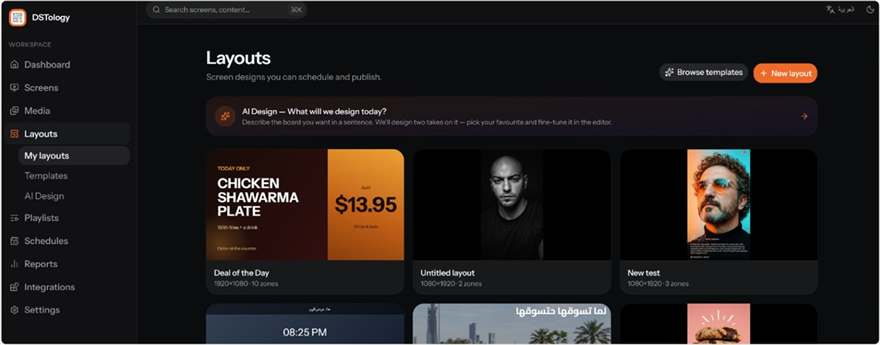
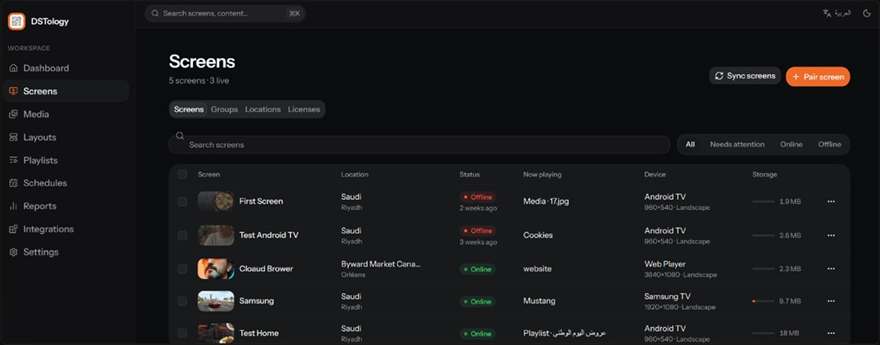
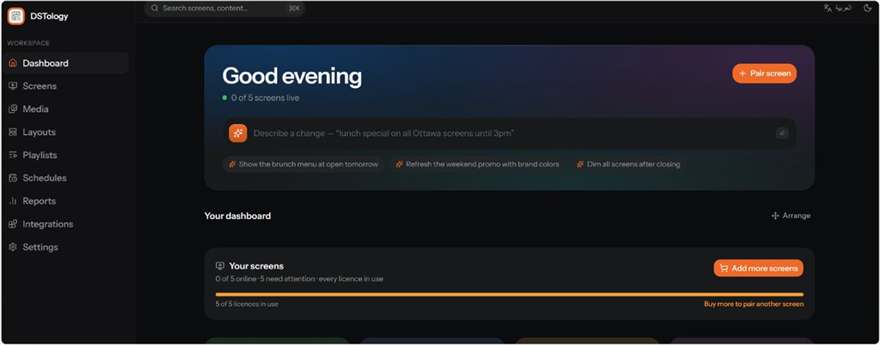
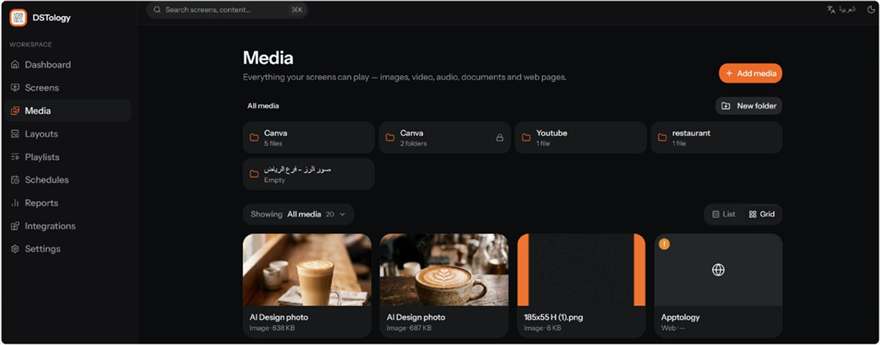
Inside DSTology
This is what your team uses every day. Real screens from the app.
Questions
Can a regular TV work outdoors at a drive-thru?
Not for long. Drive-thru screens face direct sun and summer heat, so they need high-brightness outdoor displays. We supply and install them with our partners, and DSTology runs on them like any other screen.
Can the drive-thru menu change by time of day?
Yes. Set breakfast, lunch, dinner and late-night menus once with their times, and every lane switches by itself.
Can the menu show prices and sold-out items from my POS?
Yes. With Foodics, prices and sold-out items update on every screen automatically. We connect other POS systems on request.
Do drive-thru menus in Saudi Arabia need calories?
Yes. Restaurants and cafés must show calories for every item on their menus, including digital menu boards. Since July 2025, menus must also show caffeine content for drinks, a salt icon on high-salt items and an estimate of the activity needed to burn the calories.
What happens if the internet drops?
Screens keep playing and schedules keep running. They update as soon as the connection is back.
Do you install drive-thru screens in Canada too?
Yes. We install on site in Ottawa–Gatineau and the Greater Toronto Area. See digital menu boards in Canada.
What is DSTology, and who is behind it?
DSTology is a cloud digital signage platform made by Apptology Inc., a software company founded in 2014 with offices in Riyadh and Ottawa. Restaurants, cafés, clinics and stores in Saudi Arabia use it to run menu boards and offer screens from a phone.
How much does DSTology cost?
Your first screen is free for good, and you can try more screens free for 14 days. For a quote for your branches, message us on WhatsApp at +966 55 446 9093.
What should a restaurant in Saudi Arabia look for in a menu screen system?
Full Arabic, fields for the calories, caffeine and salt icon the SFDA requires, menus that switch by time of day and for Ramadan, a link to your POS, and someone who can set up the screens in your city. DSTology covers all five, with on-site setup in Riyadh, Jeddah, Dammam and Khobar.
How do I start?
Send us a WhatsApp message with your number of branches and drive-thru lanes. Your first screen is free with a 14-day trial, and switching from any other system is free.
Ready to run every drive-thru lane from your phone?
Your first screen is free, with a 14-day trial. Switching from any other system is free.