A waiting room is one of the few places where people actually read a screen. Patients sit for several minutes, and they are often looking for answers: How do I check in? Is the clinic open on the holiday? Do you offer flu shots? A well-planned screen answers those questions before they reach the front desk.
It is also a public screen in a health setting, so some things should never appear on it. This guide covers what to show on waiting-room screens in Ontario clinics, dental offices and physiotherapy practices, what to keep off, and how to run screens across more than one location.
The short version
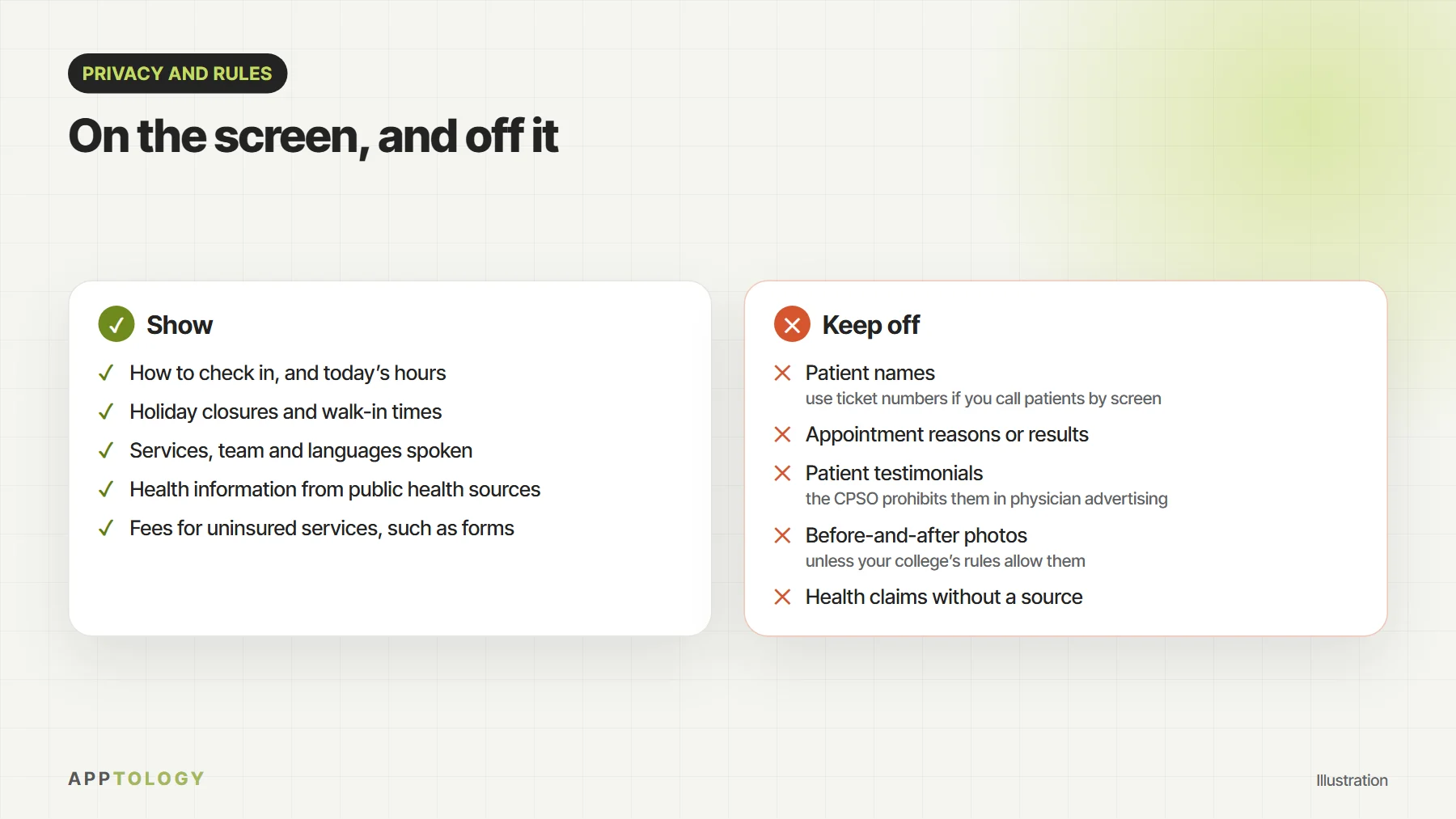
- Show what patients need while they wait: how to check in, hours and holiday closures, services, and health information from public health sources.
- Keep personal health information off the screen: no patient names, no appointment reasons.
- Check your college’s advertising rules before you show testimonials or before-and-after photos. The CPSO, for example, prohibits testimonials in physician advertising.
- Make it easy to read: large text, strong contrast, captions on videos and no reliance on sound.
- Schedule content by time of day and season, and update every location from one place.
What patients find useful on a waiting-room screen
| Content | Example | Why it helps |
|---|---|---|
| How to check in | Check in at reception or scan the code | Fewer questions at the front desk |
| Hours and closures | Closed December 25 and 26 | Fewer calls, and fewer patients at a locked door |
| Services | Physiotherapy now on Saturdays | Patients learn what else you offer |
| Seasonal health information | Flu shots available, ask at reception | Timely reminders patients can act on |
| Fees for uninsured services | Forms and sick notes: see our fee list | Fewer surprises at payment |
| Your team and languages | We speak English and French | Patients know what to expect |
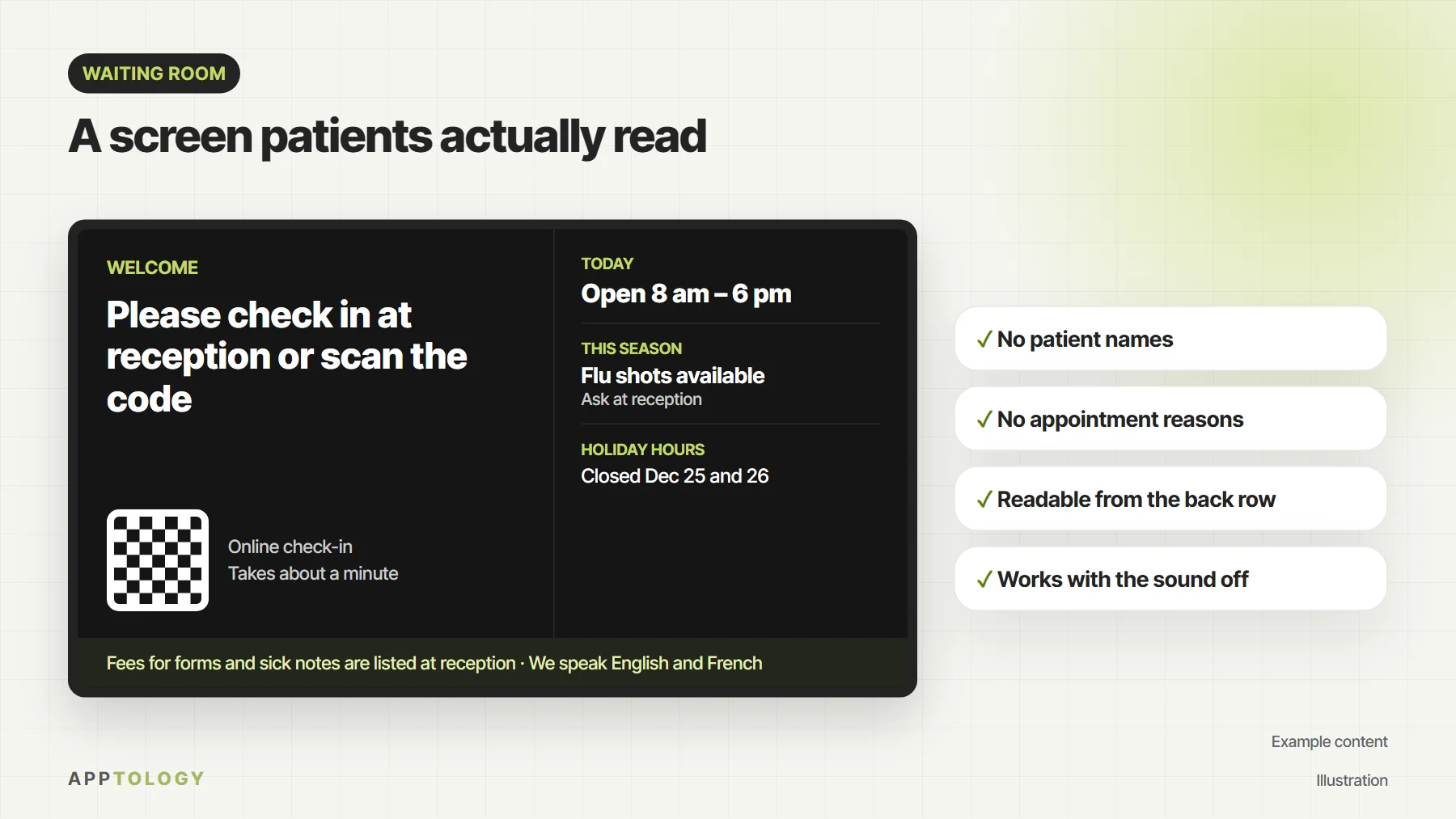
Keep each slide short enough to read at a glance, and change the content with the time of day and the season. Morning and evening clinics, flu season and holiday closures are all easy to schedule in advance.
Keep personal health information off the screen
Ontario’s Personal Health Information Protection Act (PHIPA) sets rules for how health information custodians, such as physicians, dentists and clinics, collect, use and share personal health information. A waiting-room screen is seen by everyone in the room, so treat it as public:
- Don’t show patient names. If you call patients with a queue system, use ticket numbers.
- Never show appointment reasons, results or anything else about a patient’s care.
- Keep patient photos off the screen unless the patient has agreed and your college’s rules allow it.
- Use a signage system that only shows content you publish, rather than one connected to patient records.
A digital signage system like DSTology shows only the content you publish to it, and it doesn’t need access to your patient records. Your privacy officer or lawyer can confirm how PHIPA applies to your practice.
Check your college’s advertising rules
Content that promotes your clinic can count as advertising, and Ontario’s regulated health professions have advertising rules. The College of Physicians and Surgeons of Ontario’s advertising policy, for example, prohibits testimonials in physician advertising and allows before-and-after photos only under strict conditions. Dentists, physiotherapists and other professions have their own colleges and rules, so check yours before you show patient reviews, testimonials or before-and-after images.
Make it easy to read for everyone
- Use text large enough to read from the farthest seat, with strong contrast between text and background.
- Add captions to videos, and don’t rely on sound. Many waiting rooms keep their screens muted.
- Leave each slide up long enough to read twice.
- Avoid flashing or fast-moving content, which can be uncomfortable or unsafe for some people.
- If your patients speak English and French, show both, or alternate slides.
These habits also fit the goals of Ontario’s accessibility law, the AODA, which aims to make information accessible to people with disabilities.
More than one location? One dashboard
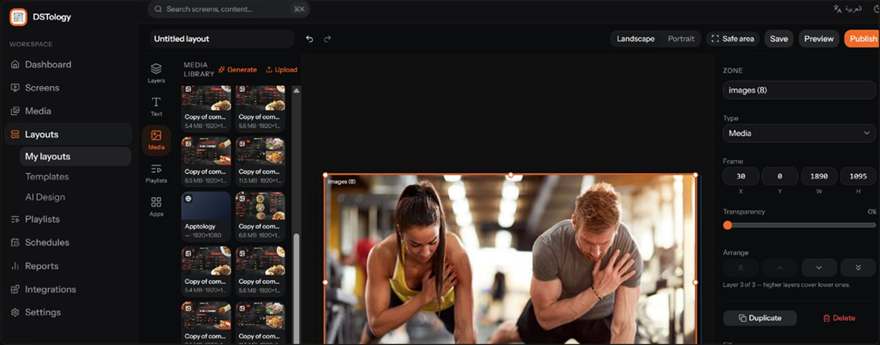
For clinic groups and dental offices with several locations, updating screens one by one with USB sticks doesn’t last. With DSTology, you publish to every waiting room from one dashboard, or change a slide for one location, such as its hours or services. You can schedule morning and evening content, flu season reminders and holiday closures weeks ahead. It runs on the TVs you already have, including Samsung and LG smart TVs, Android TV and any screen with a browser, and a regular smart TV is usually enough for a waiting room, as we explain in regular TV vs commercial display.
We install screens on site across Ottawa and Gatineau, and across Toronto and the GTA. See digital signage in Ottawa or digital signage in Toronto.
Checklist for your waiting-room screens
Screens for your clinic
Start on the TVs you already have. Your first screen is free, with a 14-day trial for the rest, and we install on site in Ottawa, Gatineau and the GTA.
Frequently asked questions
What should a clinic show on a waiting-room screen?
How to check in, hours and holiday closures, services, fees for uninsured services, and health information from public health sources. Keep each slide short and easy to read.
Can we show patient names on the screen?
It is best not to. A waiting-room screen is public, and Ontario’s PHIPA requires health information custodians to protect personal health information. If you call patients by screen, use ticket numbers.
Can we show patient reviews or testimonials?
Check your college’s rules first. The CPSO’s advertising policy prohibits testimonials in physician advertising, and other colleges have their own rules.
Do we need a commercial display for a waiting room?
Usually not. A regular smart TV works well indoors during clinic hours. Commercial displays make sense for very long daily hours or bright, sunny spots.
Can each clinic location show different content?
Yes. With DSTology you can publish to every location at once, or change slides for one location, such as its hours or services.
Read next: Digital signage in Ottawa, Digital signage in Toronto and Regular TV vs commercial display.